
Choose your plan
Step 4 of the wizard — start a 7-day free trial (no card required) or skip and decide later.
Step 4 is where you pick the plan that will start after your free trial. The trial itself is 7 days and doesn't need a payment method — you can cancel any time before the trial ends.
What you'll see
A heading reading Start your 7-day free trial, three plan cards, a billing-cycle toggle above them, and a spend-limit dropdown on each card. The Most Popular badge appears above one of the cards (usually the middle plan) and that plan is selected by default.
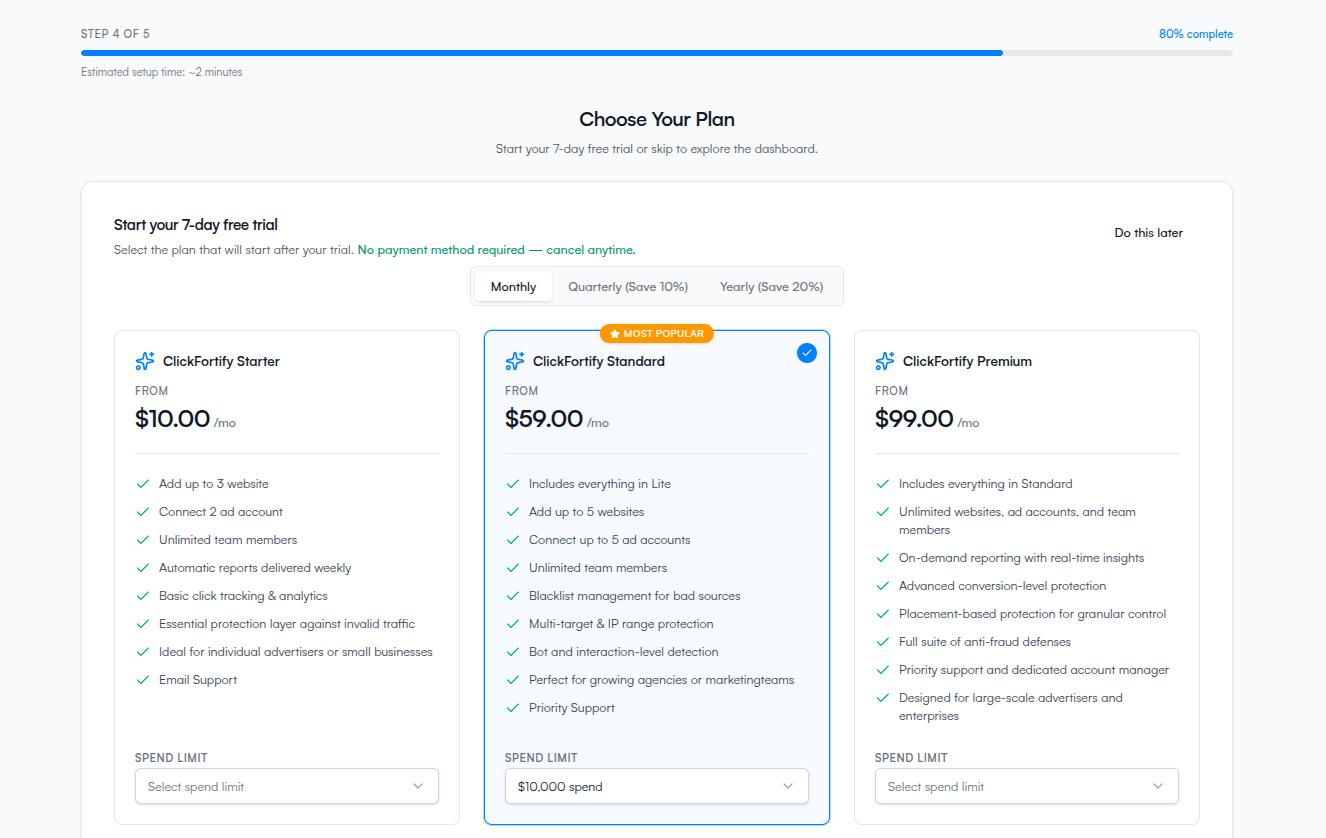
Pick a billing cycle
Use the toggle at the top to pick how often you want to be billed once the trial ends:
- Monthly — pay each month at the regular rate.
- Quarterly (Save 10%) — pay every 3 months, 10% off.
- Yearly (Save 20%) — pay once a year, 20% off.
The discount applies to whichever plan you pick, and the prices on the cards update live as you toggle.
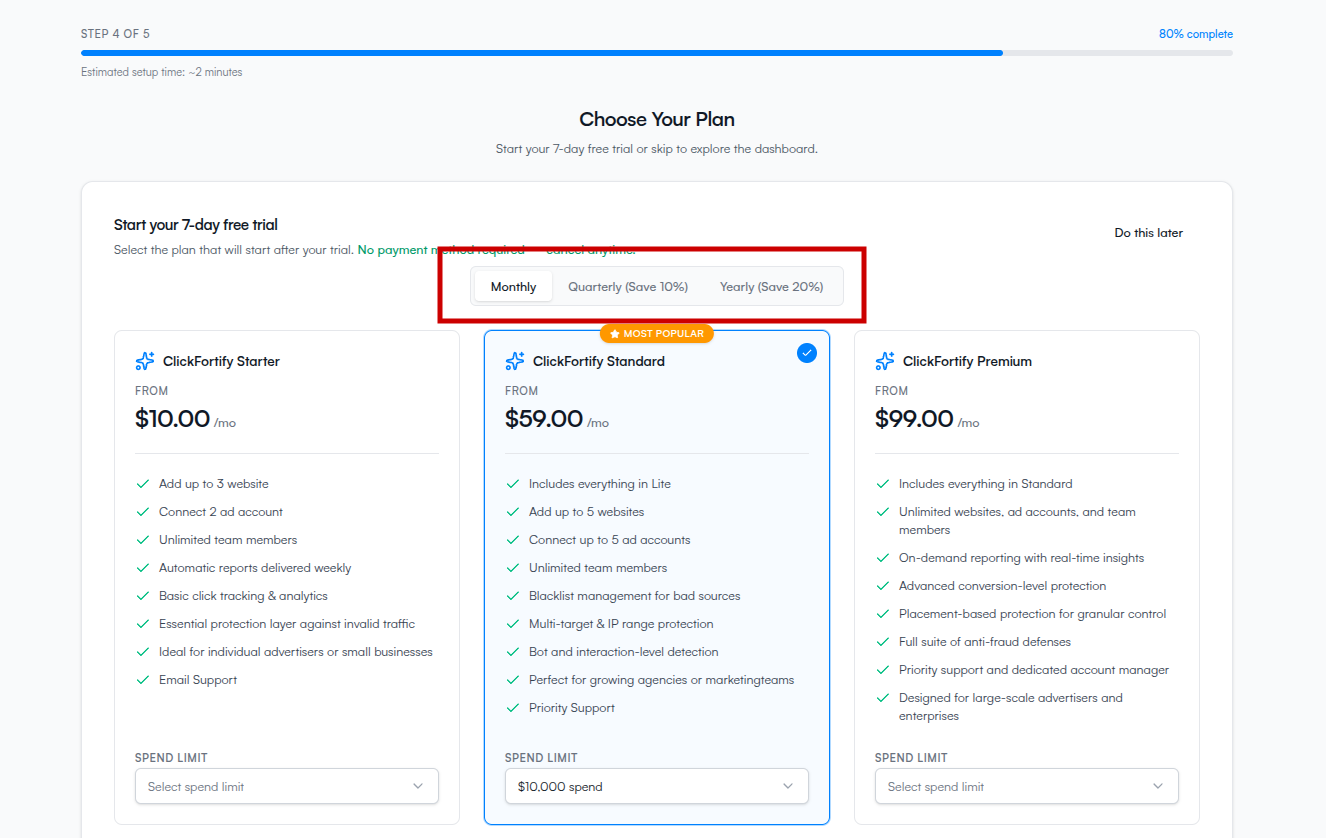
Pick a plan and a spend limit
The price on each card updates based on the spend limit and billing cycle you pick. Pick the spend tier that covers your actual monthly spend — going under your real spend means ClickFortify throttles protection once you cross it.
What happens at the end of the trial
Your trial begins the moment you click Start free trial. After 7 days the selected plan starts billing automatically — unless you cancel from Settings → Billing before then.
Skip and decide later
If you'd rather poke around the dashboard before committing, click Do this later in the top right.
Skipping at step 4 sends you straight to the dashboard — it skips step 5 (Install tracking) too. You can install tracking later from the dashboard, but until you do, ClickFortify can't see traffic on your site. A banner on the dashboard prompts you to come back and finish setup.