
Install tracking
Step 5 of the wizard — pick how you'll add the ClickFortify snippet to your site, then watch the wizard auto-detect it.
Step 5 puts the ClickFortify tracking snippet on your site. Pick a method, install, and the wizard detects it automatically — the Continue button unlocks the moment ClickFortify sees the first event come through.
Which method should I pick
There are two ways to install:
Manual install
Paste a one-line snippet just before your site's closing </head> tag. Works for any site. Pick this if you have a developer who can edit your site's HTML, or if you maintain the site yourself.
Google Tag Manager
Sign in with the Google account that owns your GTM container and ClickFortify publishes the tag for you. No code edits needed on your site.
The Manual install tab is selected by default. Both methods reach the same result: a working pixel and an unlocked Continue button.
How the auto-detection works
While you're installing, the wizard polls tracking-status every 3 seconds to check whether the pixel has fired. The status banner at the bottom of the step updates between three states:
- Waiting for events… (blue spinner) — install isn't done yet, or you haven't loaded a page on your live site to trigger a pixel fire.
- Couldn't check tracking status — retrying… (amber) — the wizard couldn't reach ClickFortify's servers on the last check. Detection keeps retrying every 3 seconds. Usually a transient network blip.
- Tracking successfully connected (green) — the pixel fired and the Continue to dashboard button is enabled.
The detection only succeeds once a real pageview hits the tracker, so after install you have to open your site in another tab and refresh a few pages for the wizard to see it.
Keep both tabs open while installing. The polling happens in the wizard's browser tab — if you close it, polling stops. Open your live site in a second tab, refresh a page there, and switch back to the wizard tab. The status will turn green within ~3 seconds.
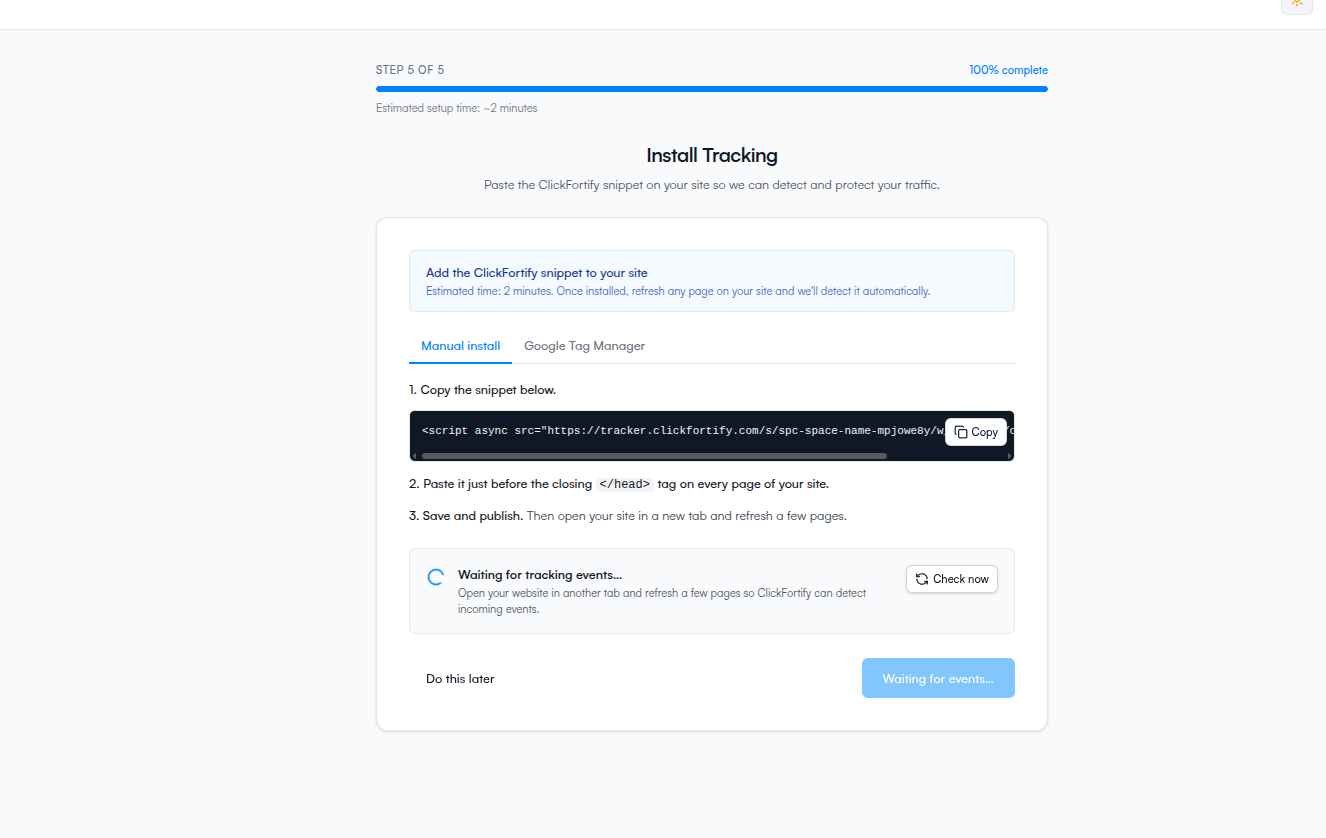
"Do this later"
If you don't want to install right now, click Do this later at the bottom left. Your wizard finishes and you land on the dashboard, but protection signals are limited until tracking is installed. See Do this later for what you lose and how to come back.